Update your browser
This browser is too old for Romps. Update it, or open Romps in another browser.
Works in Chrome and Edge 111+, Safari 16.4+ and Firefox 114+.
Email supportThis browser is too old for Romps. Update it, or open Romps in another browser.
Works in Chrome and Edge 111+, Safari 16.4+ and Firefox 114+.
Email supportOctober 29, 2026
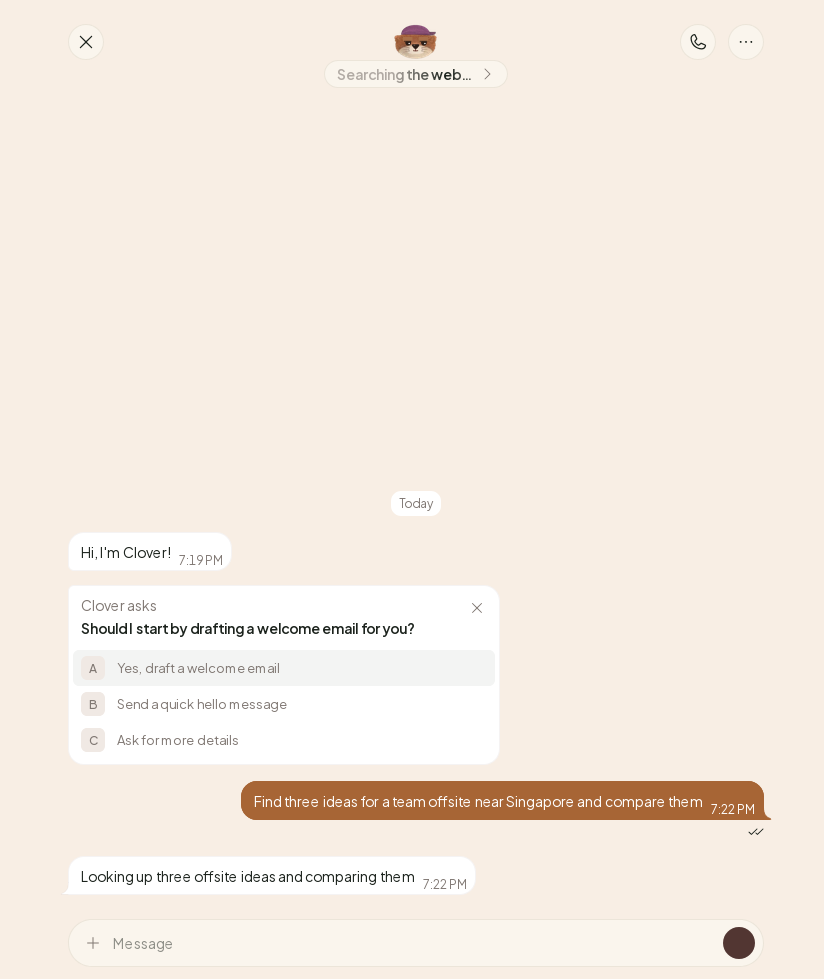
In the Romps web app, an otter’s reply now appears as the otter writes it. You can read the start of a long answer while the rest is still coming.
It works in every chat in the web app.
Sometimes an otter sends a short answer first. When there’s more to say, the full answer takes that message’s place as it’s written, so the same answer never shows up twice.
While an otter works, the bottom of the chat shows its face and what it’s doing, like “Reading a page…”, or just “Working…”. After 20 seconds, a clock shows how long it’s been. The same words show under its name at the top of the chat.
A Stop button sits beside those words. Choose it and the otter stops right there.
A reply that’s still being written has no time on it, and you can’t reply to it or react to it yet. Once the otter finishes, it’s a message like any other.
A plan for your week. Ask for your week planned around three client calls, and read Monday while the otter is still on Friday.
Ideas, compared. Ask for three ideas for a team offsite near Singapore, compared, and read the first while the otter looks into the others.
Get started, then ask an otter anything.